Power plant monitoring system
Overview
Echo is a configuration system for modules, sensors, protocols, and equipment settings in a technically dense operational environment. I designed the interface structure across the full workflow, from status overview and parameter setup to sensor management, system settings, and operational review. The goal was to make complex configuration tasks easier to understand, safer to work with, and more predictable in real usage.

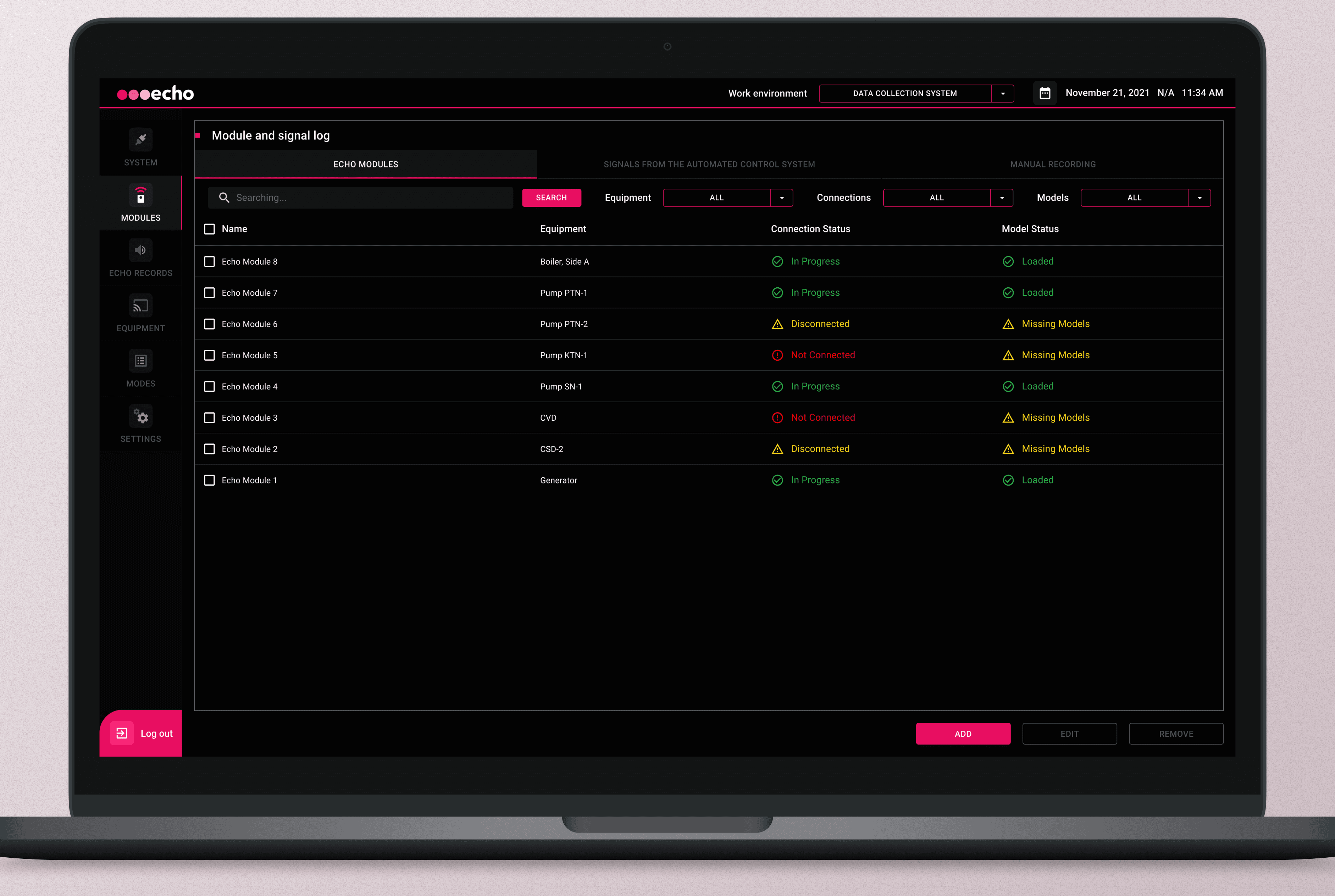
Module status overview
This screen gives users a clear starting point for working with the system. It brings all modules into one structured view, helping teams quickly understand current statuses, spot issues earlier, and move into the right configuration flow without unnecessary friction. As a result, the screen became easier to read in real working conditions, reduced the risk of entering the wrong setup path, and improved the overall clarity of the system from the very first step.

Detailed sensor parameter setup
This screen supports precise configuration of sensor modes, thresholds, and model-related parameters within a dense technical workflow. It helps users move from high-level monitoring into detailed setup, where values need to be reviewed, compared, and adjusted without losing clarity. The interface was structured to make repeated parameter groups easier to navigate, separate editable inputs from supporting information, and reduce friction in a form-heavy environment. As a result, the screen became more predictable to work with, easier to scan during configuration, and more reliable for handling detailed setup tasks.

Adding and binding a new module
This screen supports one of the most critical setup steps: adding a new module and linking it to the correct equipment. The interface was structured to keep the flow clear, reduce overload in a multi-part form, and make each input feel more intentional. As a result, the process became easier to complete, more reliable in practice, and better suited for accurate configuration work

Managing connected sensors in context
Once a module is configured, the next challenge is understanding how sensors are connected, where they are placed, and what state they are in. This view brings those layers together in one workspace, combining system structure, sensor status, and schematic context to make operational relationships easier to read and manage. The result is a more understandable setup flow, faster sensor-related actions, and a stronger sense of control in a multi-entity environment.

Validating sensor data with less friction
This view supports sensor-level validation, where users compare records, check connected data, and verify expected behavior. It was designed to improve scanability in a dense table, reduce fatigue during repeated use, and make important states easier to spot. The result is a cleaner, faster, and more dependable review experience for everyday operational work

A more reliable flow for equipment configuration
This view supports equipment-specific configuration across operating modes, sensor locations, and related parameters. By bringing these layers into one clear structure, it helps users understand what they are adjusting, how elements relate to each other, and where decisions may have downstream impact. The result is a more dependable interface for precise setup and everyday operational work.
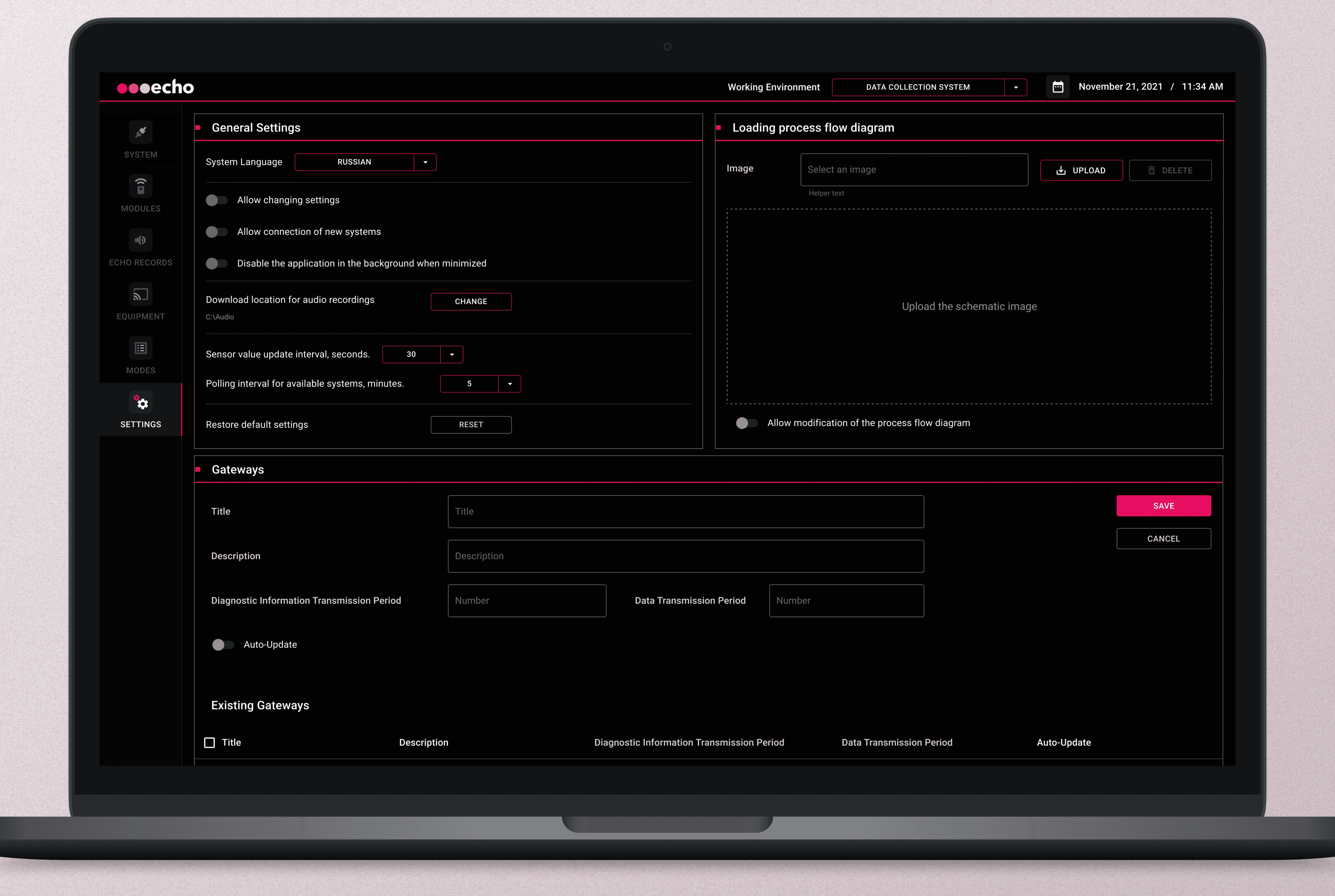
Making system-wide configuration easier to manage
This view brings global settings, gateway configuration, and supporting controls into one structured workspace. By organizing the interface into clearer sections and reducing unnecessary complexity, it became easier to understand how the system is configured at a broader level. The result is a more coherent, scalable, and trustworthy administrative experience.

Making system behavior easier to track
This journal supports post-configuration review by showing equipment modes and changes over time in a clearer, more readable format. It was designed to help users interpret events faster, follow system sequence more easily, and use historical data as a practical validation tool rather than a raw log. The result is stronger traceability, better troubleshooting support, and a more complete sense of control across the workflow
This project was not about simplifying the system, but about making it understandable
The result was a more coherent experience where users could configure, review, and validate technical data with greater confidence